
Manually placing openings in the model is a laborious and boring job for you? With this dynamo you will save a lot of nerves and speed up the placement of openings in the project.
Below I will briefly describe the elements of the script so that you can adapt it to your requirements and know how it works.

Content:
Dynamo script – Revit opening insertion
DYNAMO UI
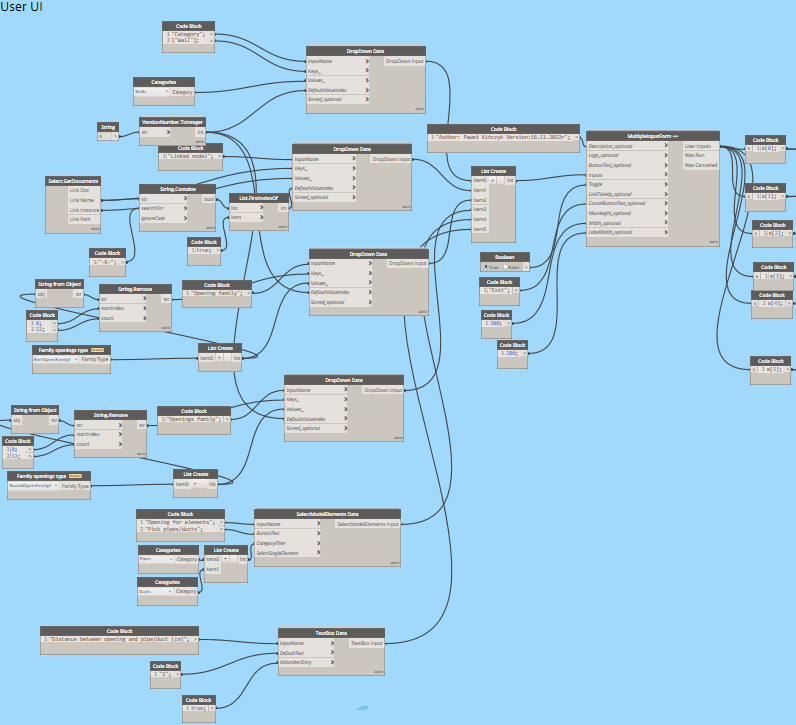
In this part, a menu is set, thanks to which it is possible to select the parameters of the model. It is worth noting that the opening is inserted in the model, but relative to the walls that are in the linked model, which should be selected in the menu.
Collision detection
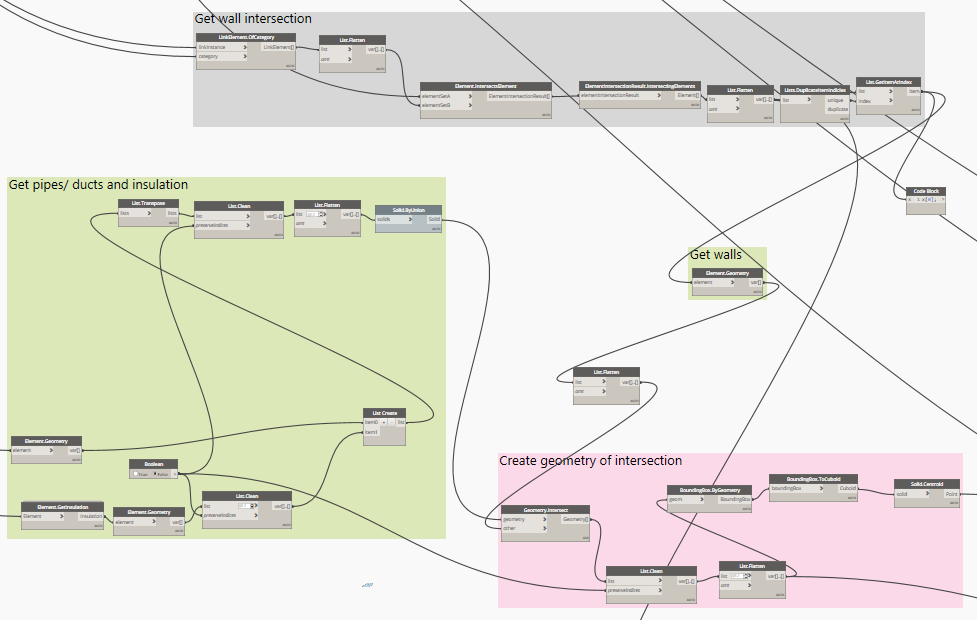
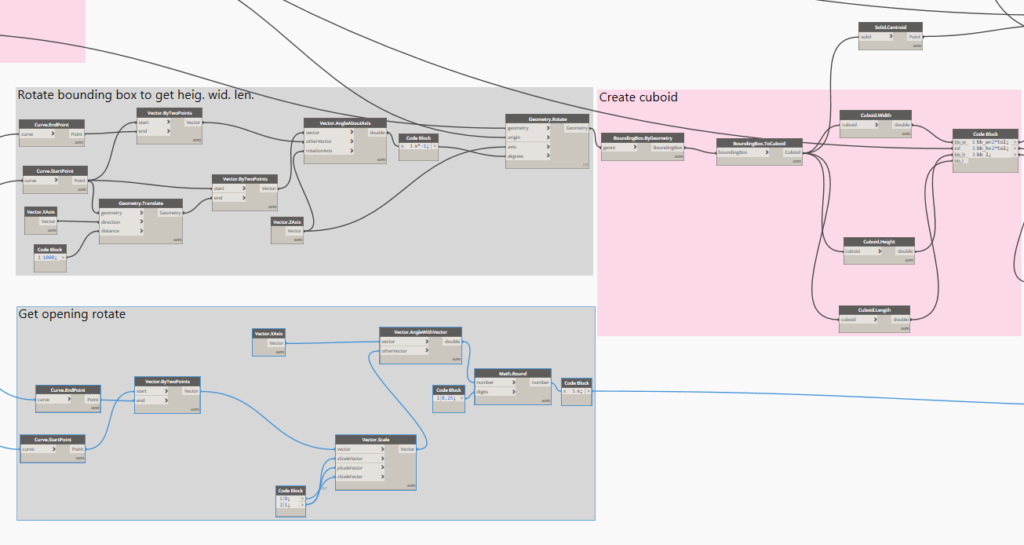
This script fragment detects the collision points of wires with walls. It then extracts the intersection geometry of both elements and creates a opening family based on its dimensions.
Create openings
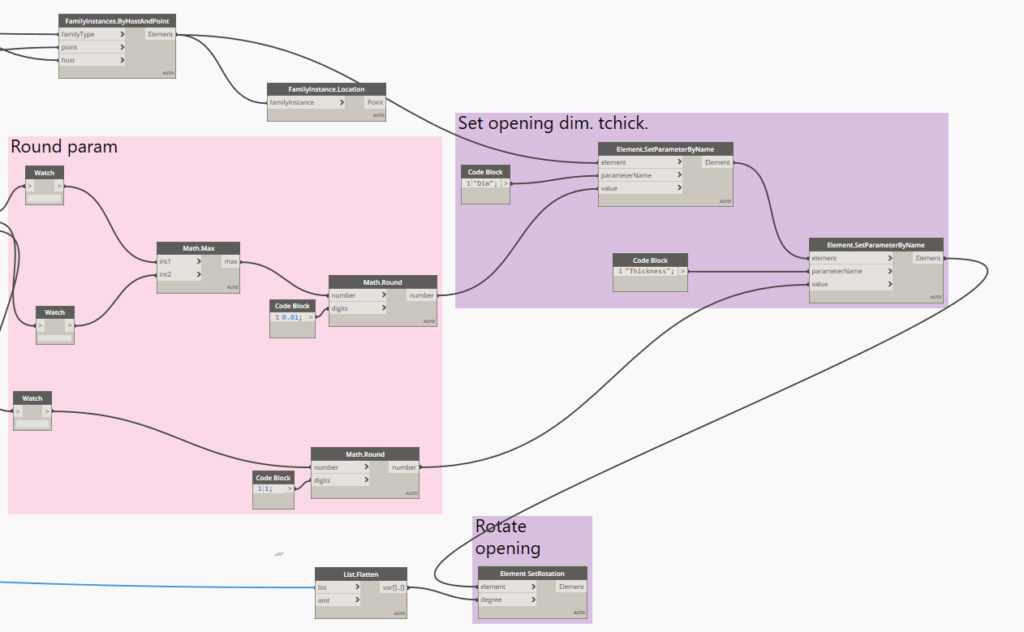
Knowing the center of the collision, the script places the hole family on it, giving it the appropriate dimensions.
Instructional video
Dynamo script download
If you are interested in using this script write to me! Link to script script.
See also:
- Revit – rozszerzenie pyRevit
- Revit – równoległe rysowanie przewodów
- Revit – Wyrównywanie tagów
- Revit – Numeracja elementów
- Revit – Zarządzanie modelem