
Do you often search for a space by its name/number? You browse the entire model and lose precious time on searching number in schedules? Just my new function in the PYLAB addin.
Contents of the article “Revit spaces search app”:
- Revit spaces search app – program idea
- How program works
- Film with program in action
- Source code
- See also

Revit spaces search app – program idea
The room search program will save you time looking for rooms. When can you use it?
- You are looking for a specific room knowing its number
- You are working on a new model and you do not know its plan
- You coordinate your work based on screenshots
Instruction how to install my extension you can find here.
How program works
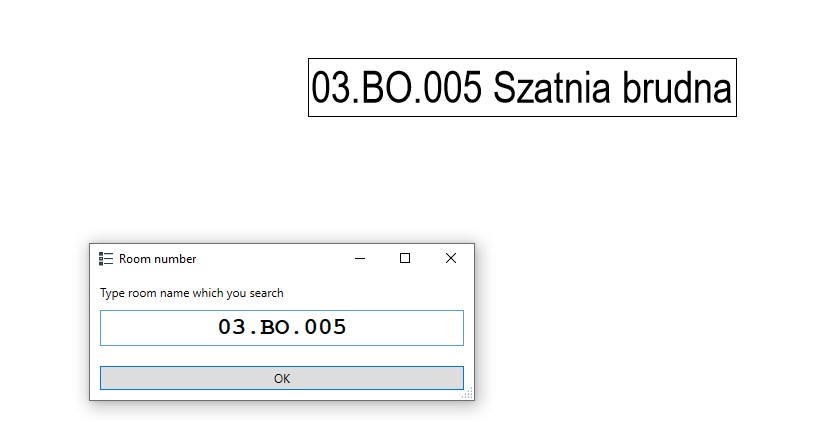
After selecting “this”Spaces search” function, the program will ask us for the room number. Enter the full room number here. Otherwise it won’t be found.
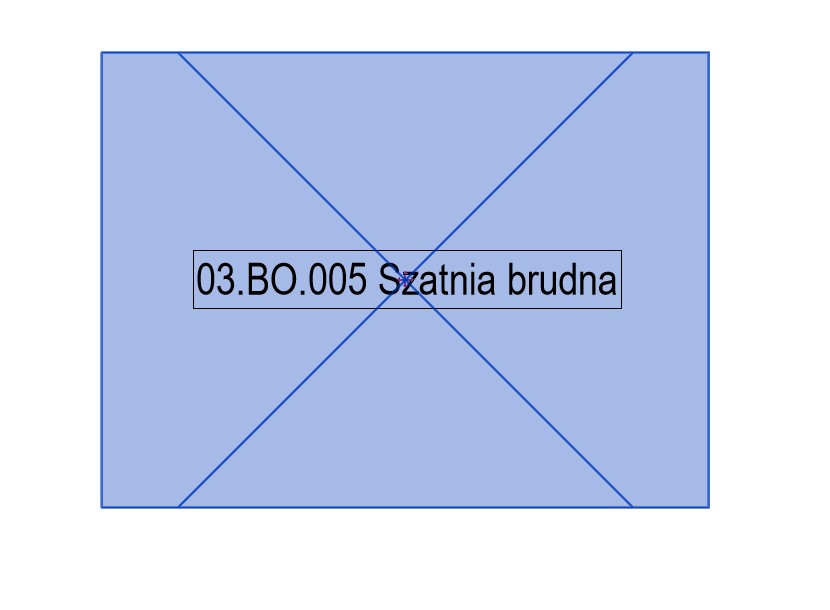
When we confirm the value entered by us, the space with the given number will be selected in the model. This will make it possible to locate it.
Film with program in action
Source code – Revit spaces search app
Below is the program code from the first version of the overlay. For more please visit mine GitHub, where new versions of the overlay will appear on a regular basis.
Copyright (C) 2023 Paweł Kińczyk
## Imports

import sys
from rpw import revit as rv
from pyrevit import forms
from pyrevit import revit
from Autodesk.Revit.UI.Selection import *
from Autodesk.Revit.DB import *

## Revit doc

doc = rv.doc
uidoc = rv.uidoc

## Get name of room/space

room_name=forms.ask_for_string(prompt="Type room name which you search", title="Room number")

## Get spaces in model

collector=FilteredElementCollector(doc).OfCategory(BuiltInCategory.OST_MEPSpaces)

## Pick room
selection = revit.get_selection()

for i in collector:
    try:
        if i.Number == room_name:
            selection.set_to(i.Id)
            break
        else:
            pass
    except Exception as e:
        print("Error:")
        print(e)
Please report any irregularities in the operation of the program that occur during use on my social accounts or account GitHub.
Also check:
- Revit connect pipes
- Air calculator
- Revit shortcuts
- Dynamo – locating elements in spaces
- Revit pipes type change