
Making changes to a model in which many worksets are created leads to mistakes due to the wrong assignment of the changed elements. Thanks to the active workset function, you can easily select a given element and change the workset.
Spis treści:
- RRevit workset change – assumptions of the program
- Program operation
- A video of the program in action
- Program code
- Check also

Revit workset change – assumptions of the program
The program for setting active workset is designed to help you in your daily work. Thanks to this, you do not have to manually check the workset of a given element and then change it. Just select an item and its workset will automatically be set as active. When will you benefit most from it:
- Making changes to the model for elements on different worksets
- When verifying elements on a given workset
- When you start working on a new model where you don’t know the workset assignment hierarchy yet
Instruction how to install my extension you can find here.
Program operation
First, the program asks us to indicate the element. It is his workset that will be set as active.

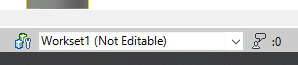
The program changes the active workset in the background.
A video of the program in action
Program code – revit setting active workset
Below is the program code from the first version of the overlay. For more please visit mine GitHub, where new versions of the overlay will appear on a regular basis.
Copyright (C) 2022 Paweł Kińczyk
from rpw import revit
from Autodesk.Revit.UI.Selection import *
from Autodesk.Revit.DB import *
from pyrevit import forms
from pyrevit import output

doc = revit.doc
uidoc = revit.uidoc


## Pick model element
try:
    with forms.WarningBar(title="Pick elements in model"):
        collector = uidoc.Selection.PickObject(ObjectType.Element)

except Exception as e:
    print("Error: " + str(e))

## Get element's workset
el=doc.GetElement(collector.ElementId)
workset_id = el.WorksetId
transaction = Transaction(doc, 'Changed workset - PYLAB')

## Change active workset
try:
    transaction.Start()
    doc.GetWorksetTable().SetActiveWorksetId(workset_id)
    transaction.Commit()

    output = output.get_output()
    output.close()
except Exception as e:
    print("Error: " + str(e))
Please report any irregularities in the operation of the program that occur during use on my social accounts or account GitHub.
Also check:
- Revit connect pipes
- Air calculator
- Revit shortcuts
- Dynamo – locating elements in spaces
- Revit pipes type change