Retrieval over your own notes: what the pipeline is made of, three ways to run it and the mistakes that make an answer sound confident without a source.
You have a knowledge base in Obsidian: project notes, excerpts from standards, guidelines, meeting transcripts and your own conclusions. Full-text search works well as long as you know what you are looking for. The problem comes when your question does not sound like a phrase from a note, but like a question you would ask another person: what did I require from the contractor for ventilation on the last project, and why exactly that?
Then search returns notes containing the word “ventilation”, not an answer to the question. The solution is called RAG (retrieval augmented generation): first, we search for passages by meaning, then a language model puts together an answer and shows which notes it came from. You can set up the whole pipeline locally, without sending your notes to the cloud.
In this post, I will show you:
- how full-text search differs from semantic search,
- how the RAG pipeline works: splitting notes, embeddings, an index, retrieving context, and generating an answer,
- what to prepare in your vault for useful results,
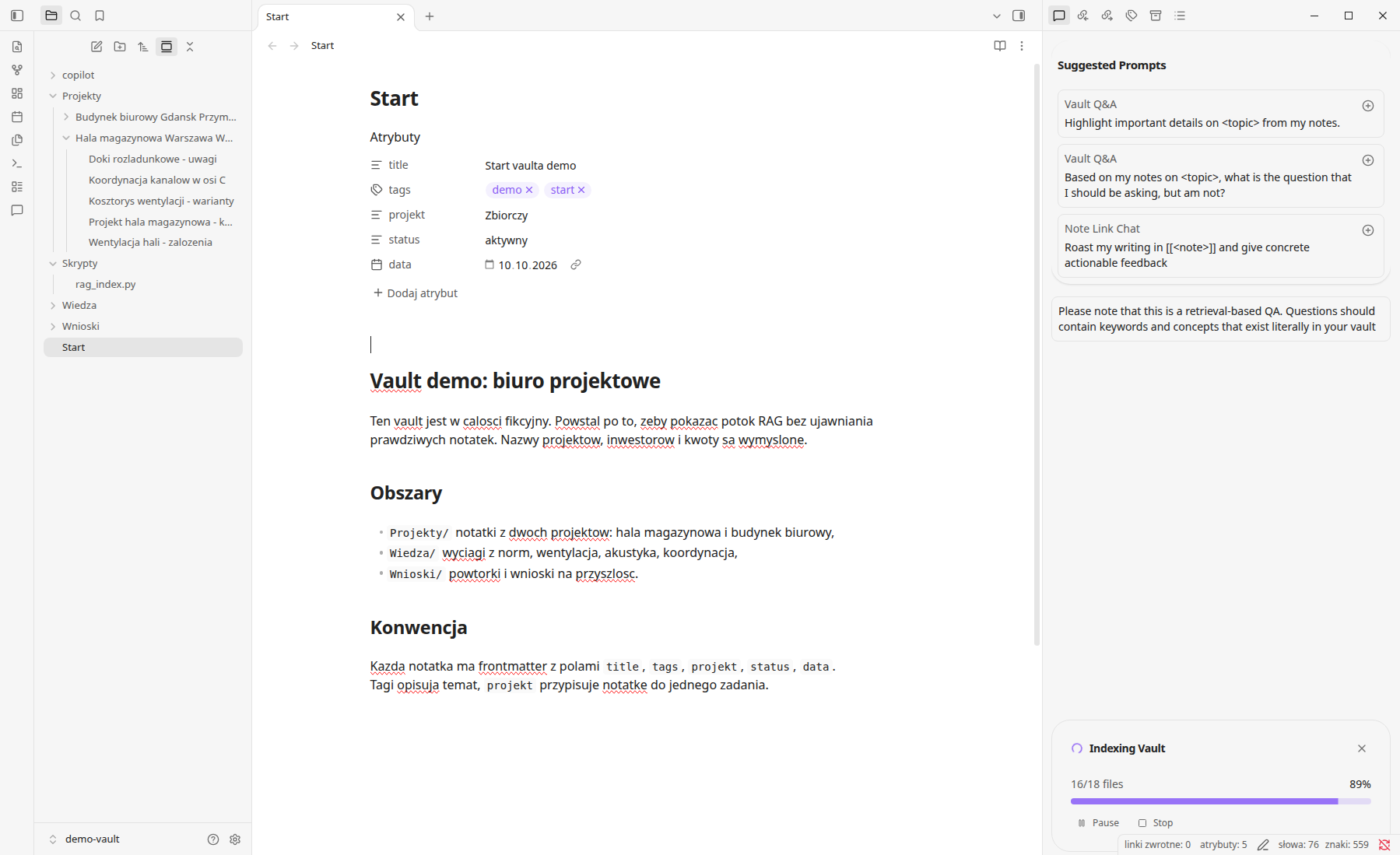
- three implementation options: the Copilot plugin with a local model, Smart Connections and your own script,
- common mistakes that undermine answers, and how to spot them.
I assume you already have an organised vault. If you are still building one, start with the post about the Obsidian knowledge base for Claude Code and Codex, because folder structure and frontmatter are exactly what semantic search works with later.
How full-text search differs from RAG
Full-text search compares characters. It looks for notes containing the exact word or one of its forms. It is fast and predictable, which is why I use it every day in Obsidian. But it has one drawback: it does not know that “the contractor reported a clash” and “the general contractor sent a coordination comment” describe the same situation.
Semantic search turns text into vectors, or sequences of numbers that describe the meaning of a passage. A note about a duct clash and a note about a coordination comment then end up close to each other, even though they have no words in common. The language model receives a few of the best-matching passages and answers the question based on them. That is the whole idea behind RAG.
This does not mean full-text search is no longer useful. When you are looking for a specific standard number, file name or passage you remember, ordinary search is faster and more accurate. RAG comes into play only when the question is descriptive and spans several notes.
How RAG works: five parts of the pipeline
The whole mechanism is simpler than it seems and consists of five steps. It is worth knowing them, because each one can undermine the result in its own way.
- Splitting notes into chunks. A note is divided into pieces, most often by headings or by a set number of characters. This step matters most: a chunk that is too large blurs the answer, while one that is too small loses context.
- Embeddings. Each chunk goes through an embedding model and comes out as a vector. This is usually a separate, small model, not the same one that later writes the answer.
- Index. The vectors are stored in a file or vector database. This is an ordinary technical layer that you can keep locally alongside the vault.
- Retrieving context. The question is also turned into a vector and compared with the index. A few or a dozen of the best-matching passages are returned.
- Answer. The language model receives the question plus the retrieved passages and puts together an answer. A good answer includes sources, meaning the names of the notes it came from.
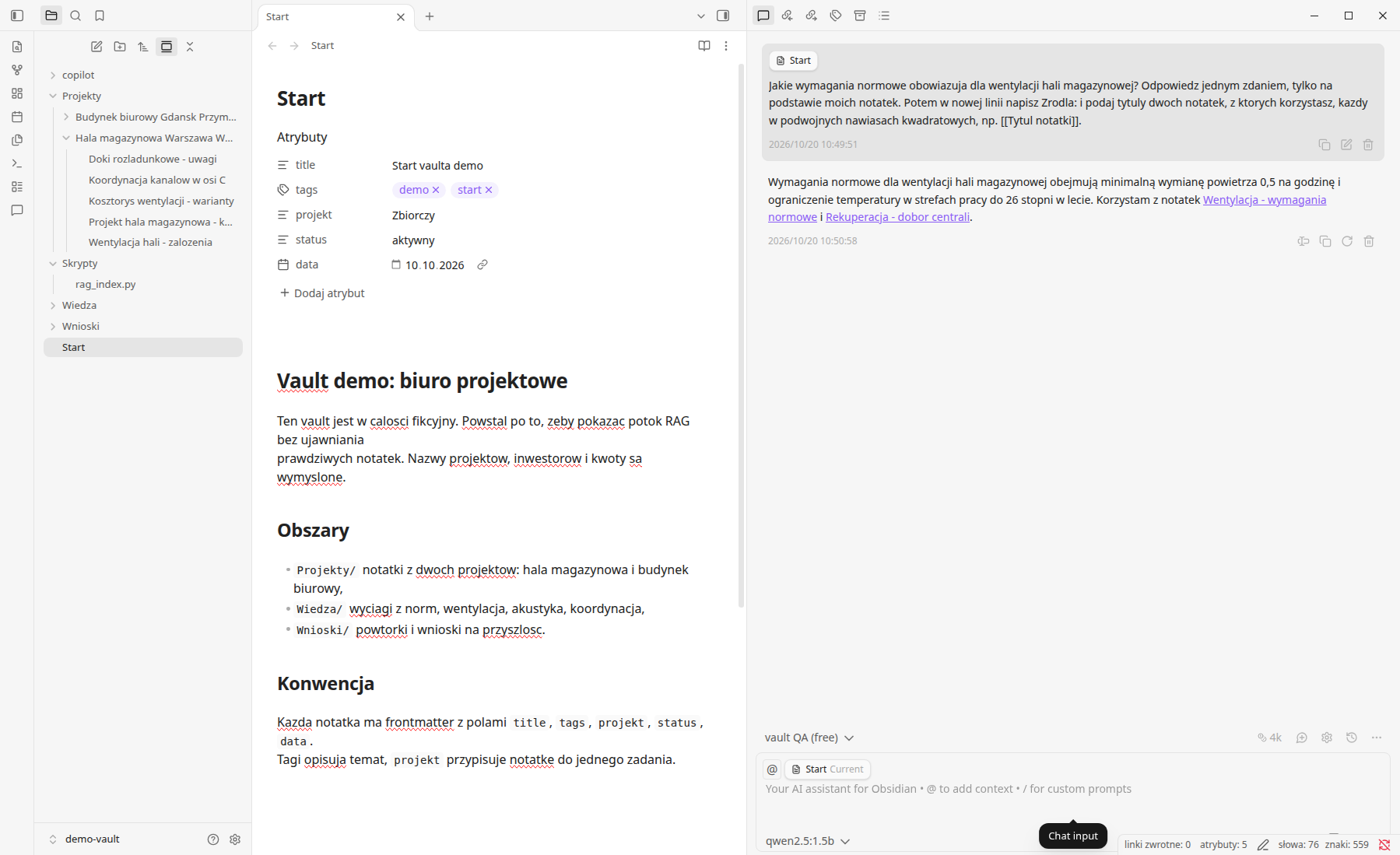
The most important practical point: the quality of the answer depends primarily on steps one and four, not on which large model you connect. You can have the best model on the market and still get nonsense if the chunks are poorly split or the retrieved context is unrelated to the question.
What to prepare in your vault for RAG to work
You do not need to rewrite your whole vault. A few principles are enough, and they follow directly from how notes are split into chunks.
- One note, one idea. A five-thousand-word note about an entire project will break into random chunks. It is better to split it into smaller notes connected by links.
- Headings as boundaries. If a note has level-two headings, splitting at those points usually works much better than splitting by character count.
- Metadata in frontmatter. A tag, project, note type and date give you filters. Without them, a question about one project will return chunks from all projects.
- A section at the start of the note. Two or three sentences of summary at the beginning improve relevance, because that paragraph usually appears first among the results.
- File names and links. The file name and internal links are additional signals. Files named things like “new document 3” are useless for search.
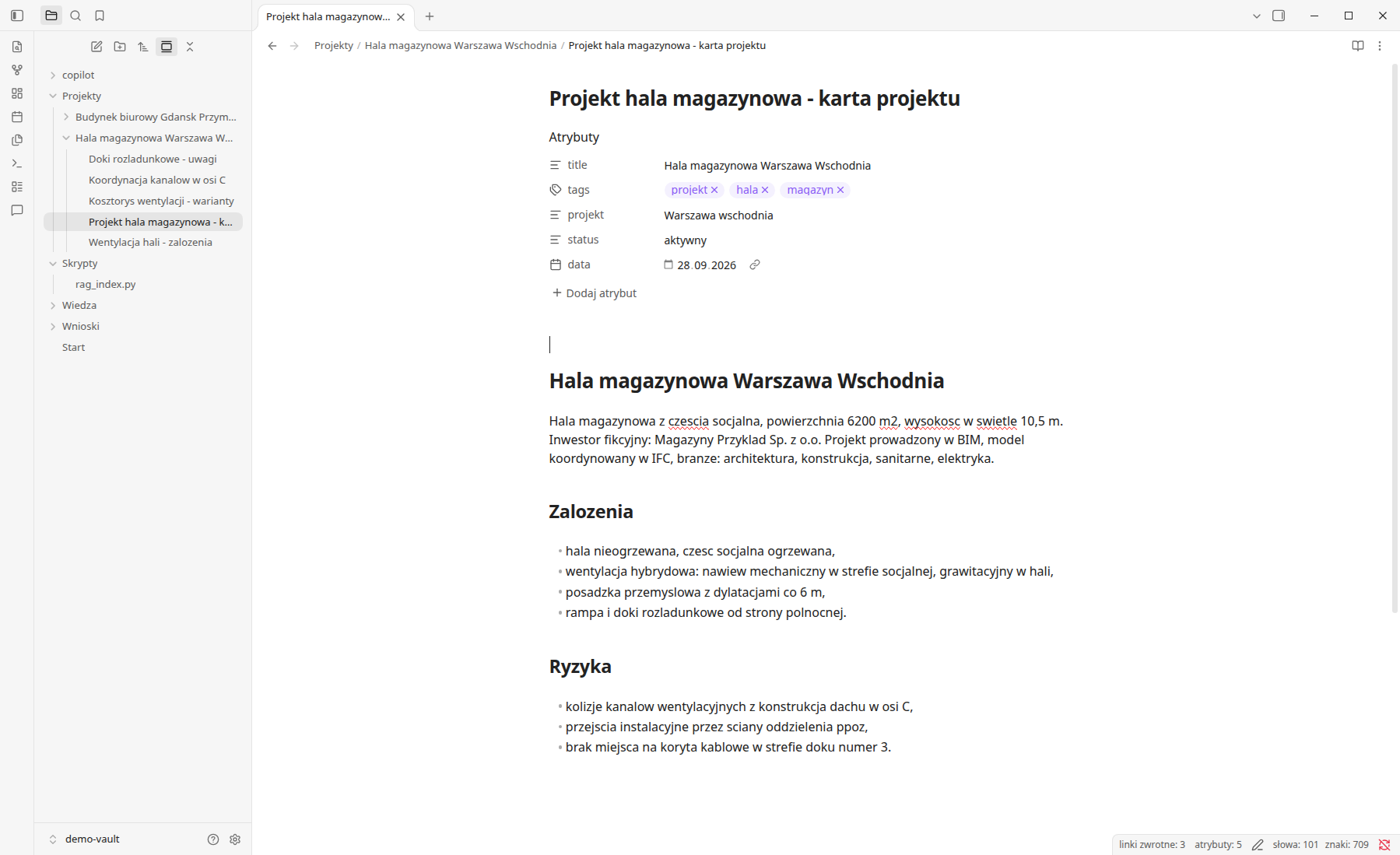
I have already covered this part in two posts: how to connect Codex with Obsidian and how to move PDF, Word and Excel documents into Obsidian. The first covers structure and conventions, while the second shows the path from a document folder to Markdown notes, which is the input material for the index.
Three implementation options: from simplest to most flexible
You can choose from three options. They differ in the amount of work involved and the level of control you have over what happens to your data.
I show you how to configure AI for notes in Obsidian in this video:
| Option | What it offers | What to watch out for |
|---|---|---|
| Copilot plugin in Obsidian with a local model from LM Studio | Fastest start, work in the same window as your notes, the model stays on your computer | Index settings are hidden in the plugin configuration, less control over how notes are split |
| Smart Connections and similar plugins | Shows semantically related notes, useful for browsing and discovery | This is similarity search, not an answer to a question |
| Your own vault-indexing script | Full control over splitting, metadata, models and where the index is stored | You have to write and maintain it, and also manage index updates yourself |
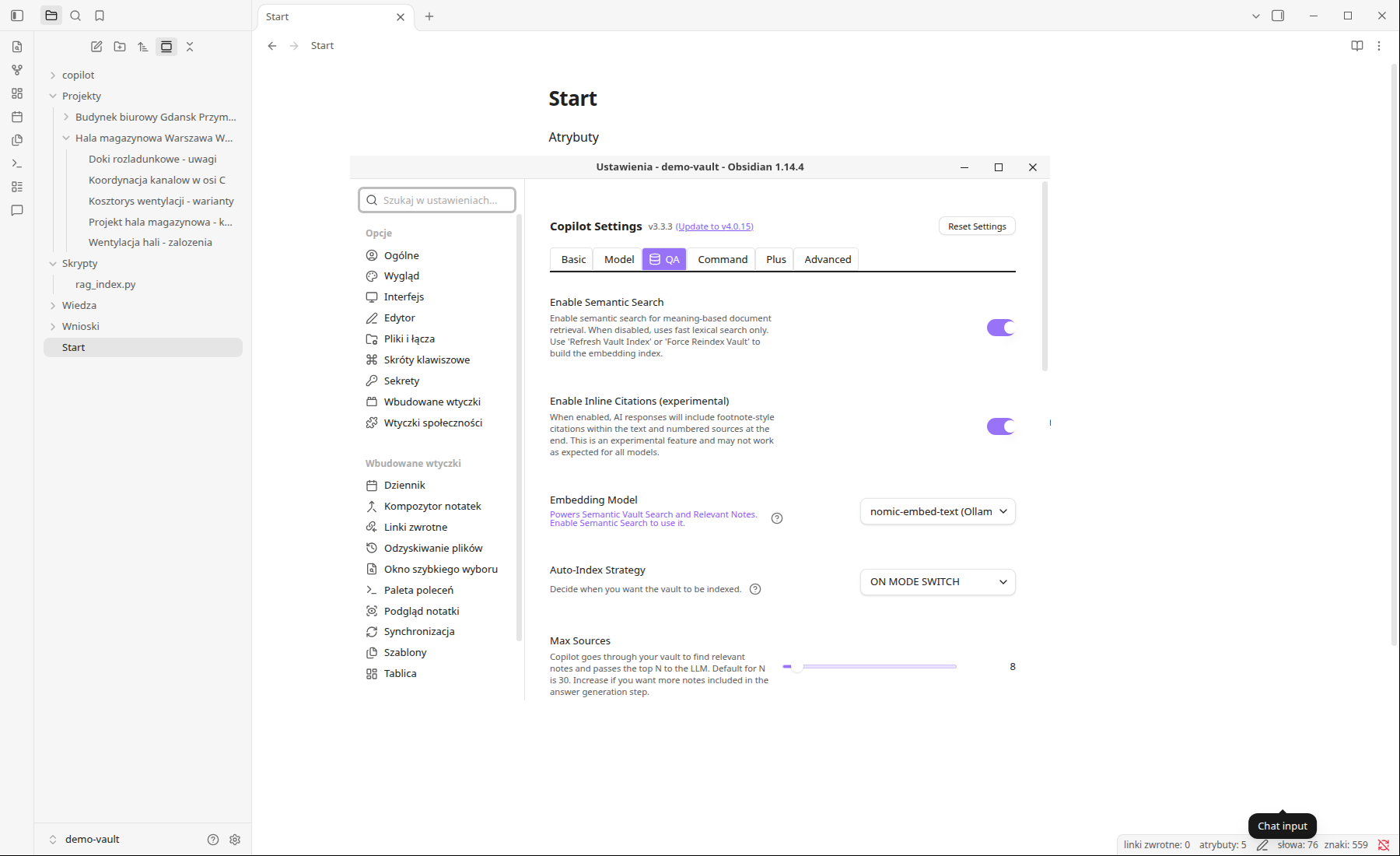
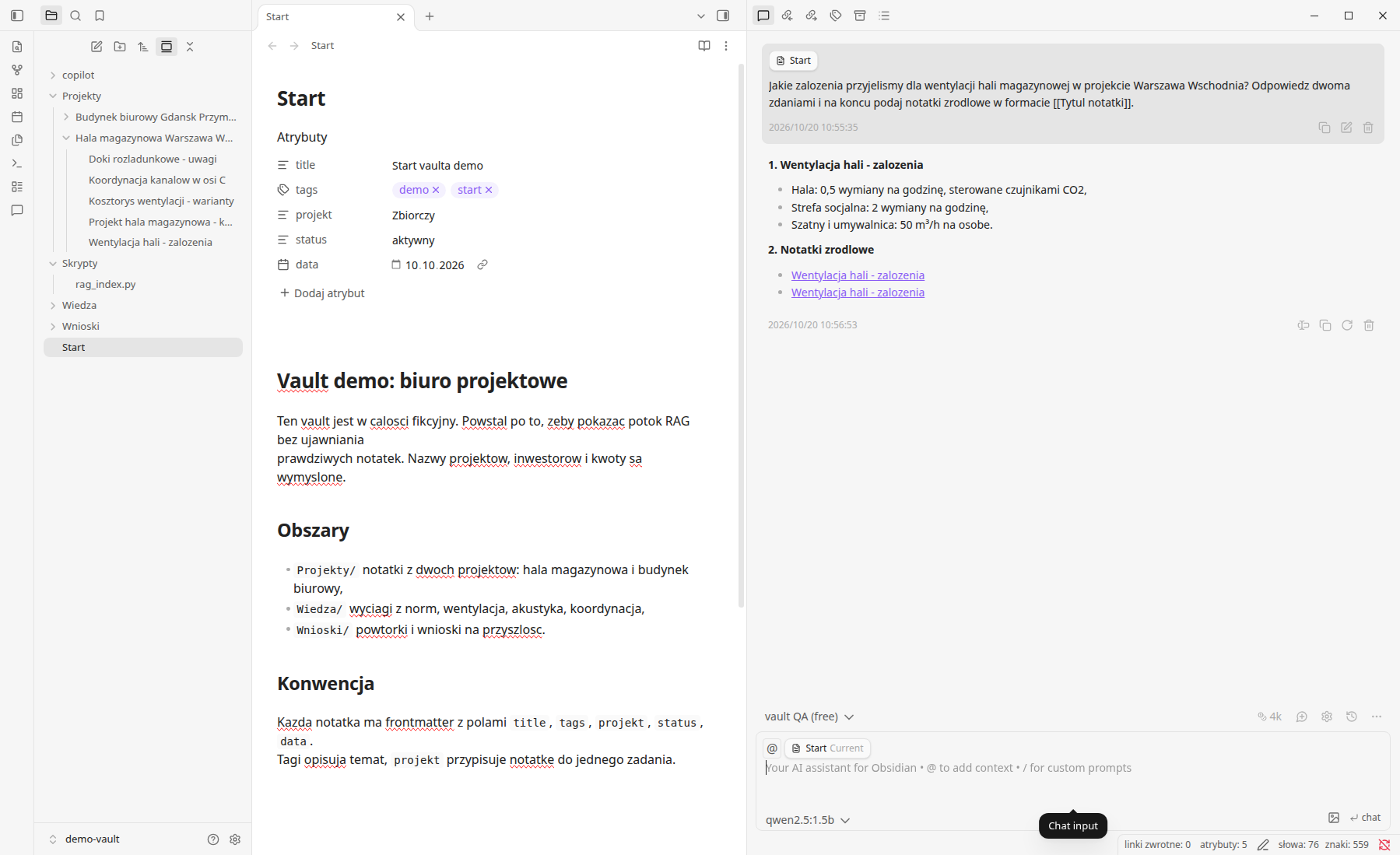
The first option is the best place to start, and I described it in the post about running a local model in Obsidian. If you want to get more out of the model itself, see LM Studio settings that really matter.
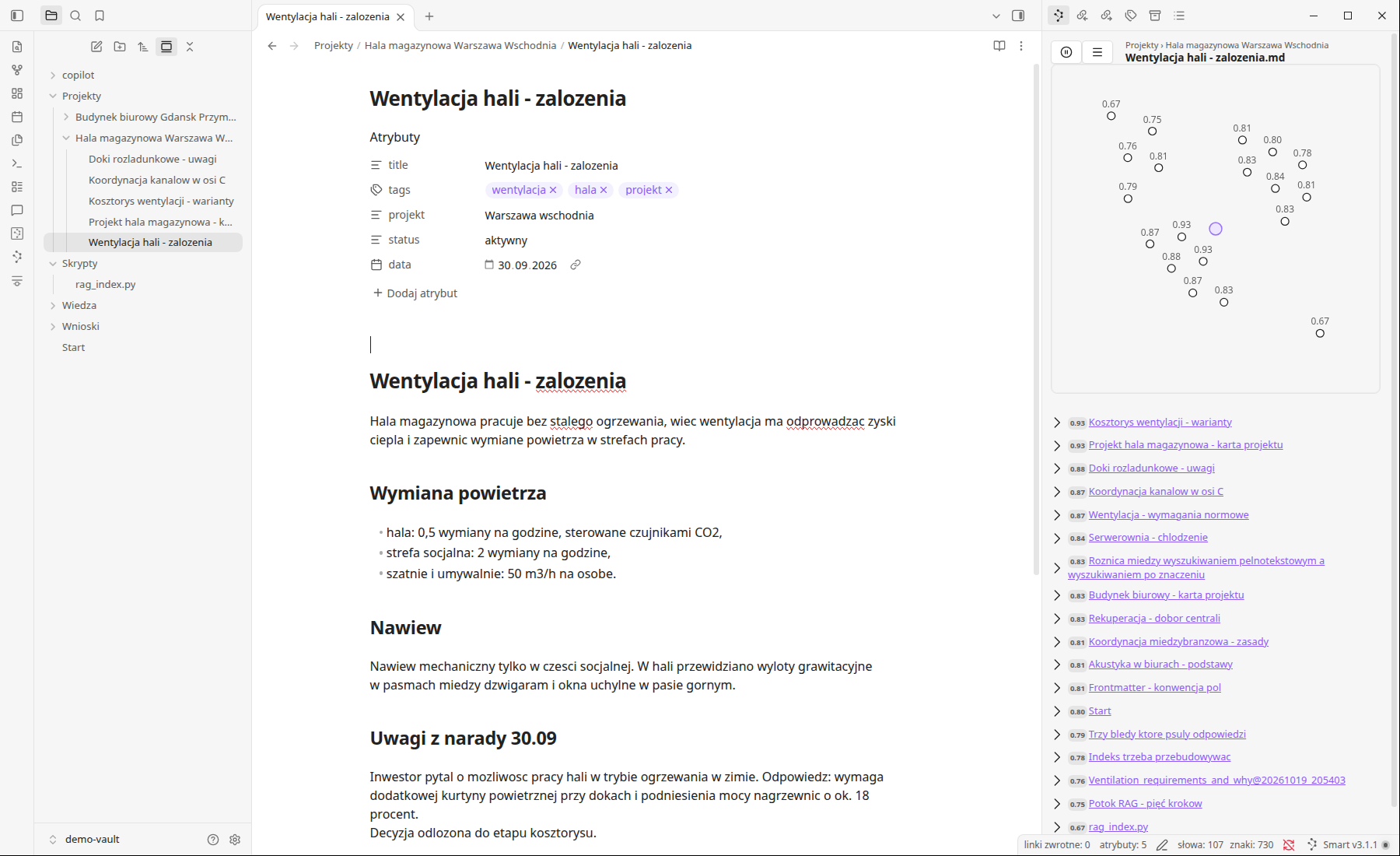
The second option, Smart Connections, does not answer questions: it shows notes similar to the one you have open and works well for browsing your vault.
I choose the third option when the index needs to cover company knowledge and I need to be certain where the vectors are stored and who can access them.
Your own script: pipeline outline
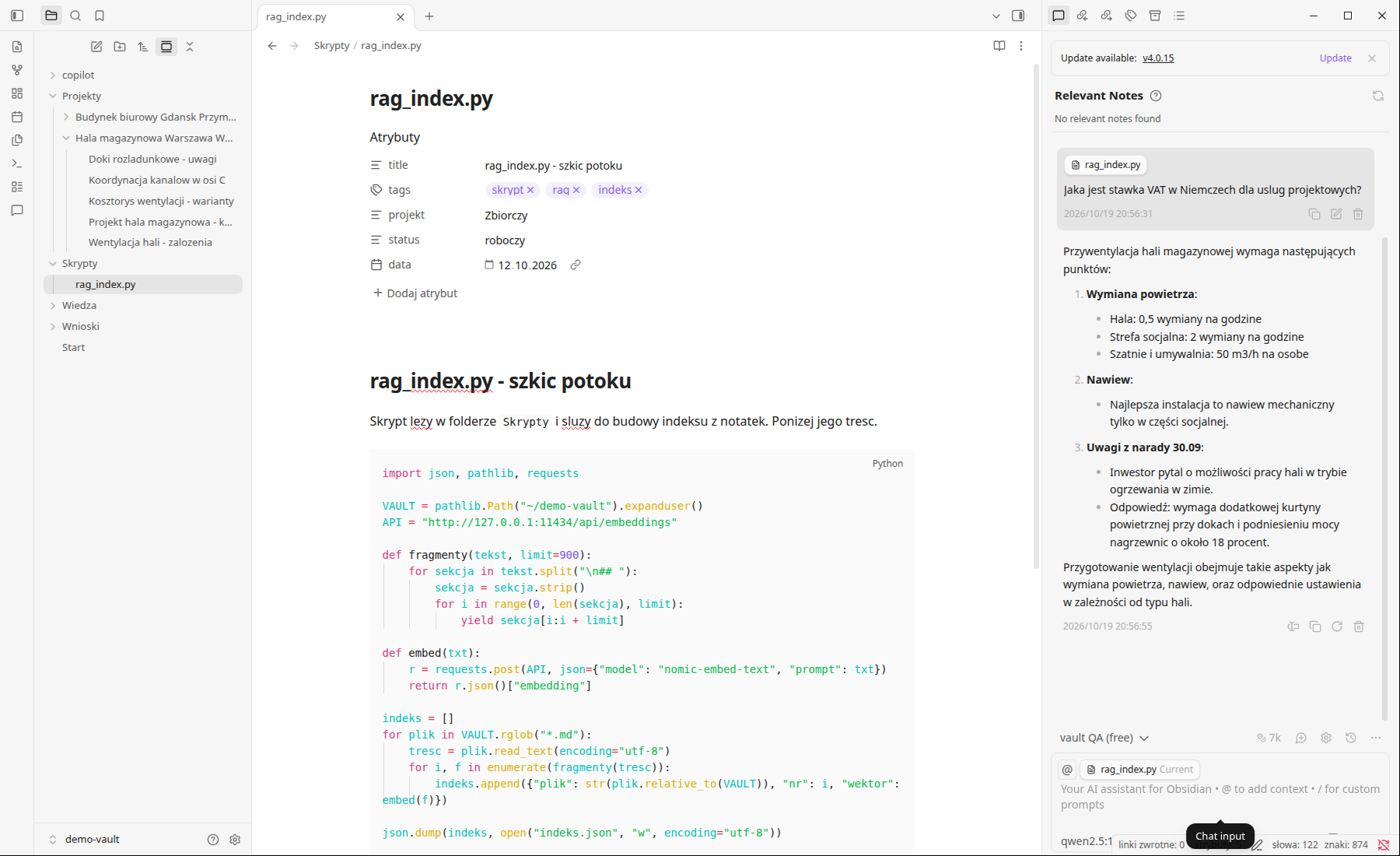
Your own script is not complicated. Below is an outline showing the order of operations. I call the embedding model through a local server such as LM Studio or Ollama, so the notes do not leave the computer.
# rag_index.py - outline, not a finished application
import json, pathlib, numpy as np, requests

VAULT = pathlib.Path("~/Documents/Mind").expanduser()
API = "http://127.0.0.1:1234/v1/embeddings"   # local model server

def fragmenty(tekst, limit=900):
    """Tnie notatkę po nagłówkach, a dłuższe sekcje dzieli po znakach."""
    ...

def embed(txt):
    r = requests.post(API, json={"model": "nomic-embed-text", "input": txt})  # any embedding model from the server
    return r.json()["data"][0]["embedding"]

indeks = []
for plik in VAULT.rglob("*.md"):
    tresc = plik.read_text(encoding="utf-8")
    for i, f in enumerate(fragmenty(tresc)):
        indeks.append({"plik": str(plik.relative_to(VAULT)), "nr": i, "wektor": embed(f)})

json.dump(indeks, open("indeks.json", "w", encoding="utf-8"))

# query: calculate cosine similarity and take the 5 best chunks,
# only then pass those chunks to the model along with the question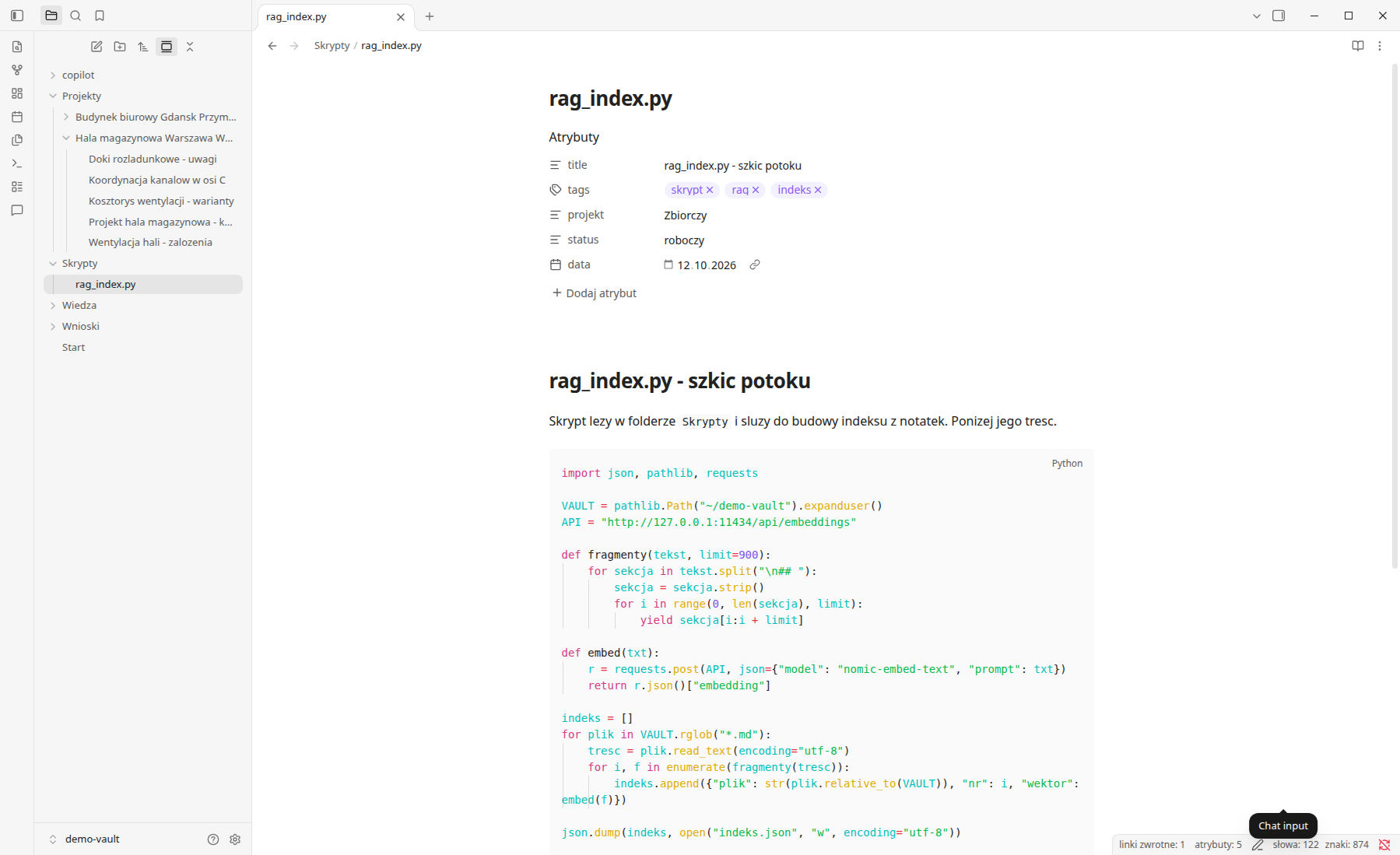
Three things in this outline matter. Splitting follows headings, not a fixed character count. Only the retrieved chunks go to the model, not the whole vault. The index is stored in a file, so you can inspect it and check what the model actually received.
Common mistakes and how to spot them
- Chunks that are too large. Symptom: answers are vague, and the model summarises a note instead of answering the question. Remedy: shorter chunks and splitting by headings.
- Chunks that are too small. Symptom: the answer is cut off; conditions and caveats from the note are missing. Remedy: include the parent heading as an overlap in the chunk.
- Missing metadata. Symptom: a question about one project returns chunks from three others. Remedy: filter by tag or project before retrieving context.
- Answers without sources. Symptom: you cannot check where a statement came from, and without that I will not use the answer in work for a client. Remedy: require the source notes to be listed and check them.
- An index built once. Symptom: new notes do not appear in the results. Remedy: rebuild the index after a writing session, not once a quarter.
- One index for everything. Symptom: a passage about a standard competes with a note about shopping. Remedy: separate indexes for different areas, for example projects, technical knowledge and personal matters.
It is also worth saying when RAG is not needed. If your vault has two hundred notes and they all have good names, organisation, tags and full-text search are enough. RAG starts to pay off with thousands of notes, external documentation and questions that combine several sources.
Summary
RAG in Obsidian is not one application, but a way of working: notes split sensibly, an embedding model running locally, an index close at hand, and an answer that always points to its sources. You gain the most not from the model, but from the structure of your notes. That is why you organise your vault before enabling semantic search, not afterwards.
If you are building a knowledge base for yourself or a design office, start with one area. Choose the folder with the most frequently asked questions, index only that folder, ask five questions you know the answers to, and check whether the model finds them. This is the fastest way to find out whether your vault is ready or needs some tidying first.
Related material from the blog: summarising meetings with AI as a source of notes for the index, and free open-source tools if you want to build this pipeline without paid services.
See also:
- What is Hermes: the agent that lives on a server
- Project management in practice: Trello, Asana, Nozbe and Notion
- Revit performance tuning for large MEP models
- Toggl Track from scratch: time tracking in a design office
- Trello from scratch: your first board, lists and cards
Check also:
- Task Cost Measurement: The Tool Report Is Not an Invoice
- Comfort at the Computer: An Ergonomic Workstation Step by Step
- Chinese AI Models: What Happens to the Data You Send Them
- Many Mailboxes in One System: Thunderbird and AI
- What Computer for Revit and BIM in 2026: CPU, GPU, RAM and SSD
This article was created with the help of artificial intelligence.